
How to Save Money on eBay
19 November 2026by Leonardo Luke
How to Save Money on eBay
eBay offers a convenient way to check out thousands of items from various sellers at various prices and is a great place to shop online. The platform offers numerous items. But it's not enough to find a good price. Product condition, delivery costs, and discounts are all things that should be taken into account before ordering. Fortunately, there are several tips you can use to lower the cost of your eBay shopping. There are some small tips you can use to get more out of your money, from looking for special deals to using the mobile app.
To save even more, check out ItsCoupons.com for any eBay coupon codes and offers that you can take advantage of before you place your order. These are some helpful tips to help you save money when purchasing items on eBay.
1. Explore Loyalty Programs and Store Credit Card Rewards:
Online rewards and cashback programs can be a great way to make the most of your online shopping. When shopping on eBay, see if your payment card provides
Cash back
Rewards points
Special shopping offers
Some banks will have limited-time offers for certain online stores. Credit card rewards can be earned on a regular basis. Read the terms on your card to find out how these benefits work and if eBay purchases are eligible. Also, don't forget to check out eBay's promotions. Eligible coupon offers may be received via your account and email preferences. There are some discounts that are only offered to certain customers, so if you can check your account frequently, you won't miss them.
2. Read the Product Description Carefully:
Discounts can seem like a good deal, but it is always best to read a product's description before ordering. Different sellers sell products with varying conditions, features, and delivery options on eBay. An electronic device can be a brand-new electronic device or a pre-owned electronic device. Each option can come with a significantly different price tag, so it's important to know what you're buying.
Pay attention to the following details:
Product Condition: Is this a new, used product, or damaged?
Read Product Features: Size, color, and other important details
Check Seller's Ratings, Feedback, and Customer Reviews.
Return Policy: See if they take returns and if there are any additional fees.
Include Accessories: Be sure that there is a detailed explanation of what is included in the product listing.
Also, compare the product description with the pictures provided by the seller. If there is any doubt, please ask the seller any questions before ordering. It is good to spend some extra time before buying to make sure you end up with the right product and not having to return it or make a replacement purchase.
3. Check Out the Deals Tab:
To find products at reduced prices, visit eBay's Deals section. It's a great place to find products, limited-time offers, as well as discounts on various purchases. Another popular eBay feature is Daily Deals, in which certain items are offered at a discounted price for a day. On the Deals tab, view the deals and browse through the categories you're interested in, rather than looking at hundreds of listings one by one.
The other useful suggestion is to research and compare the offer price with other comparable products offered by other vendors. Just because something is 40% off doesn't necessarily mean it's the best deal. Look into its
Original price
Current selling price
Shipping fees
Condition
In addition, you may find seller discounts and coupon offers that are applicable during promotions. Before bidding, go to ItsCoupons.com to see if you can find any more eBay coupon codes available. Don't forget to verify the expiration dates and requirements of each offer, as some may only be available for a limited time.
4. Download the eBay Mobile App:
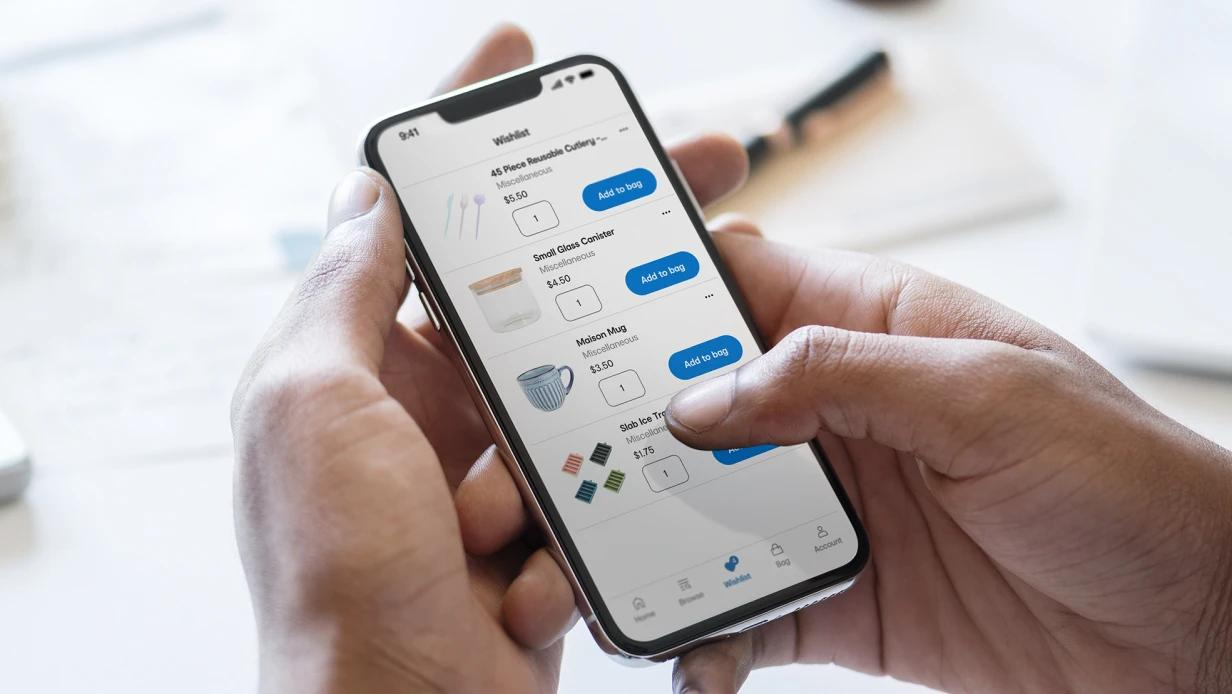
The eBay mobile app can help you locate products and stay on top of offers. If you are a regular eBay shopper, you can download the app, which can provide you with a more convenient way of managing your shopping. You can search for products, save your list of favourite products, follow sellers, and be notified of the deals you have selected. The app also facilitates checking orders and communicating with the sellers.
Save your search instead of typing the same keywords again if you are searching for a specific product. You might be alerted to new matching listings. You can also watch special products on your watch list. This way, you can go back later and see the prices of these before buying them. Be sure to check out any app-specific promotions that you may have in your account before checking out. Some eBay coupon programs will ask that customers order their merchandise via the cell phone app.
5. Confirm Your Delivery Information Before Ordering:
When shopping online, unnecessary expenses can be caused by shipping costs and incorrect delivery information. Spend some time looking at your delivery details before eBay order completion. First, verify your shipping address and contact information. Any error can lead to delivery issues or delays.
If you are buying from an international seller, make sure to verify the product's delivery options to your country. Moreover, check the shipping cost and the approximate delivery period before ordering.
Here are a few things worth checking:
Shipping Costs: Check the shipping cost of each seller before making a selection.
Delivery Time: If you urgently require the product, find out the estimated delivery time.
Customs and Import Taxes: International orders may be subject to extra charges depending on the country and the type of product.
Tracking Information: Make tracking information an option if you want to keep track of your package.
Final Order Total: Discuss the price of the product, shipping, taxes, etc. as a team.
Sometimes, a slightly higher listed price is a better deal because it may have a lower shipping cost. Never consider only the product price and ignore the total order cost.
Final Thoughts:
Saving money on eBay becomes easier when you know how to shop carefully. Doing some research will help you avoid needless spending and help you make wise choices.
If you're about to buy something from eBay, check out ItsCoupons.com to find eBay coupon codes and deals. Look at the offer information and redeem a valid discount when checking out. There are products that you can love and still stay within your budget if you approach shopping right.
The Latest from our Blogs



Join the Savings Revolution
Get exclusive access to the best deals, early notifications of sales, and personalized coupon recommendations.