
Why Is My Promo Code Not Working
29 October 2026by Lucas Adrien
Why Is My Promo Code Not Working
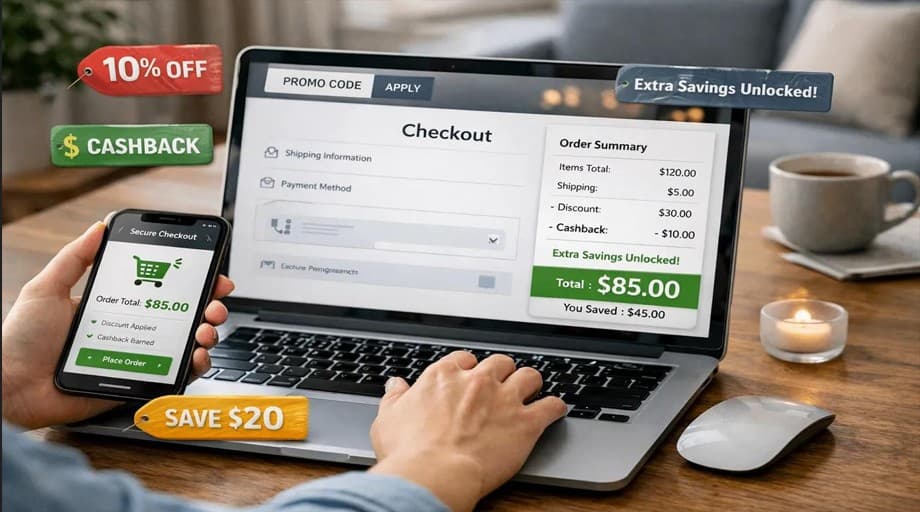
When it comes to online shopping, the ability to save with a promo code makes the experience more enjoyable. You find the product you want, add it to your cart, and enter the code at checkout. Sometimes, however, the discount is not applicable. You might get an error message or the price may remain unchanged. This can be frustrating if you were hoping to save money on your order. The great news is that there are several common causes for codes to fail, and most of them can be readily corrected.
When you're doing your shopping at TheBS or other online stores, you should be aware of what to look for to help prevent checkout issues. ItsCoupons.com also allows you to check for the available offers and promo codes before making your order. Let's explore five of the most frequent issues with promo codes and what you can do to solve them.
1. Your Promo Code Has Expired:
The most common problem with using promo codes is that they have run out of time. There are discounts available at certain stores for a limited time. Others may be offered for weekend sales, or seasonal or special promotions. For instance, if TheBS has a sale on, they could be offering a discount on the product. The website might refuse to accept the code after the promotion has expired. Some old codes may be available on websites and social media posts that are not updated.
It is important to verify if a code is active before using it. What worked last month might not work today!
How to Fix It?
Please make sure that the code is not listed on an invalid date. Don't reuse the same discount code if the offer is over; seek out a new discount.
You can visit Itscoupons.com to check available promo codes and offers in one place. This can save you time and help you find an appropriate discount before checkout.
2. Your Order Does Not Meet the Minimum Spending Requirement:
Promo codes may only be used with a minimum purchase amount. If the items in your shopping cart total less than the mentioned offer, you might not be eligible for the discount. It is crucial to note that delivery fees might not be part of the minimum order amount. You can define the total value for each store separately.
How to Fix It?
It is important to read the offer terms and find out the minimum purchase amount. Then compare it with the value of the items in your eligible shopping cart. If you are close to the required amount, consider adding something you already need. But, don't buy something that you don't need extra money just for a discount. Always assess if the savings is worth the extra cost.
3. The Code Does Not Apply to Your Selected Products:
Not all promo codes apply to all products. Some discounts apply to certain categories of products, certain items, or full-price products. Other offers may not include clearance items, gift cards, or items with another discount. For instance, you may discover a code for certain products at TheBS and apply it to an item that is not part of the offer. The code can be valid, but the website will reject it because the product you have selected is not eligible. That is why it is essential to read the promotion details. A discount advertised on a website may not apply to everything in the store.
How to Fix It?
Check which products are included in the offer. Look for any exclusions mentioned in the terms and conditions. If your item is not eligible, see whether the code applies to another product you actually want to buy. You can also check whether the store allows promo codes to be used on sale items. This simple step can help you understand why the discount is missing.
4. You Entered the Promo Code Incorrectly:
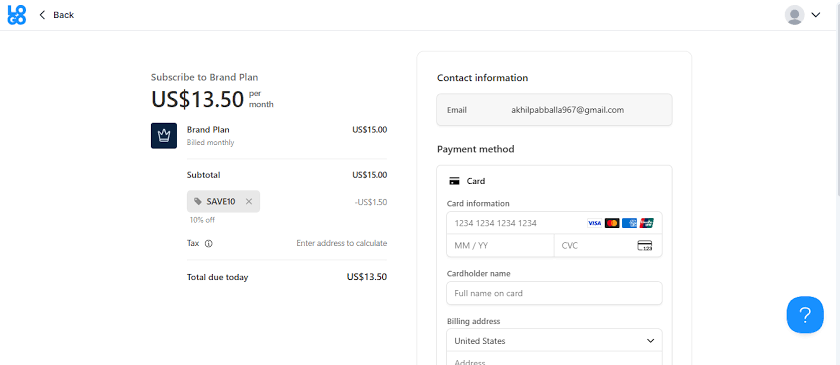
Sometimes, a promo code fails because of a small typing mistake. Codes are easy to enter incorrectly; they can include letters, numbers, and special characters. For instance, the letter O and the number 0 might be similar. Also, it is possible to skip a letter, swap two characters, or accidentally duplicate an extra space in the code. The checkout system may not recognize the discount if it contains these small errors. When you have tried many times unsuccessfully, you should check the code itself.
How to Fix It?
Erase the code and write it in again carefully. Ensure each letter and number is correct. If you came across it on a website, copy it again and see if there are additional spaces before or after the text. Plus, be sure that you are putting it in the right promo code area. You can find the relevant offer you're looking for and copy it again at ItsCoupons.com. This can help you avoid typing errors and make the checkout process easier.
5. The Promo Code Has Special Conditions:
Some promotional codes are subject to terms that can easily be missed. A discount may be available to a new customer, a registered customer, or customers who have signed up for a store's newsletter. Other offers may be limited to certain countries or payment methods. Some codes are used only once with a customer or codes that may have a limited number of uses. For instance, a first order discount might not be available to an existing customer. Also, a code designed for a specific area will not function if you deliver outside the area. The code may be valid, but your order might not meet the requirements.
How to Fix It?
Read the full terms and conditions before using the code. See if it applies only to new customers, certain locations, payments, or accounts. If it appears to be right, but the discount doesn't seem to be working, reach out to the store's customer support team.
Final Thoughts:
A promo code that does not work can be frustrating, but the reason is often simple; you just have to know how you’ll fix it. Don’t forget to check Itscoupons.com and see if there are any discounts or promo codes offered. Before you check out, you can review what deals are available at THEBS Coupon Codes or at other online retailers to make informed shopping choices and save time.
The Latest from our Blogs

Join the Savings Revolution
Get exclusive access to the best deals, early notifications of sales, and personalized coupon recommendations.